Designing an end-to-end planning flow that turns actual shipment plans into optimized orders and shipments, with full drill-down to line items.
Project Details
Client
DHL Global Forwarding
Focus
Order & shipment optimization
Role
Product Designer
Users
Logistics planners
Platform
Enterprise web application
Scope
Presale concept, end-to-end flow
Project Context
DHL Global Forwarding plans freight for large B2B customers from monthly actual plans: versions built from master data and transaction data such as purchase orders, sales orders, receipts and shipments.
The goal of this presale concept was to show how planners could generate an optimized plan from an actual version, compare it with the original, and adjust orders before running the optimization again.
The Challenge
Planning data is versioned, dense and highly connected:
Every plan depends on a specific master data version and several transaction data versions.
See actual and optimized values side by side for every order.
TRUST
Understand which data and targets produced each result.
03
Planning workflow
How users move through the plan
SELECT
Pick the current or a previous actual plan version.
OPTIMIZE
Set parameters and generate an optimized plan.
REVIEW
Compare orders and shipments: leadtime, utilization and compliance.
ADJUST
Edit line items and rerun optimization with an impact preview.
04
Design principles
What the product must enable
TRACEABLE
Show data versions and targets on every screen.
COMPARABLE
Keep actual and optimized values in one scannable row.
PROGRESSIVE
Start from the plan, then drill into orders, shipments and line items.
SAFE TO CHANGE
Preview the impact of edits before running optimization again.
Design Approach
I structured the product around one planning loop: choose an actual plan, set optimization parameters, review the generated plan, drill into orders and shipments, edit line items and rerun the optimization.
The key principle was traceability: every screen shows which data versions and targets produced the result, so planners can trust it and explain it.
Information Architecture
A version-based planning workspace
Actual plan version
Optimization plan
Input parameters
Timeframe, customers, target
Orders
PO / SO view
Shipping orders
Shipment view
Order details
Summary & line items
Shipment details
Actual vs optimized route
Line items
Products & quantities
Edit order
Changes & impact preview
Plan archive
Previous versions
Shared platform foundations
Data lineage
Master & transaction versions
Optimization targets
Budget, leadtime, utilization
Common grid patterns
Filters, columns, attribute groups
Rerun loop
Edit, preview, optimize again
Actual Plans and Versions
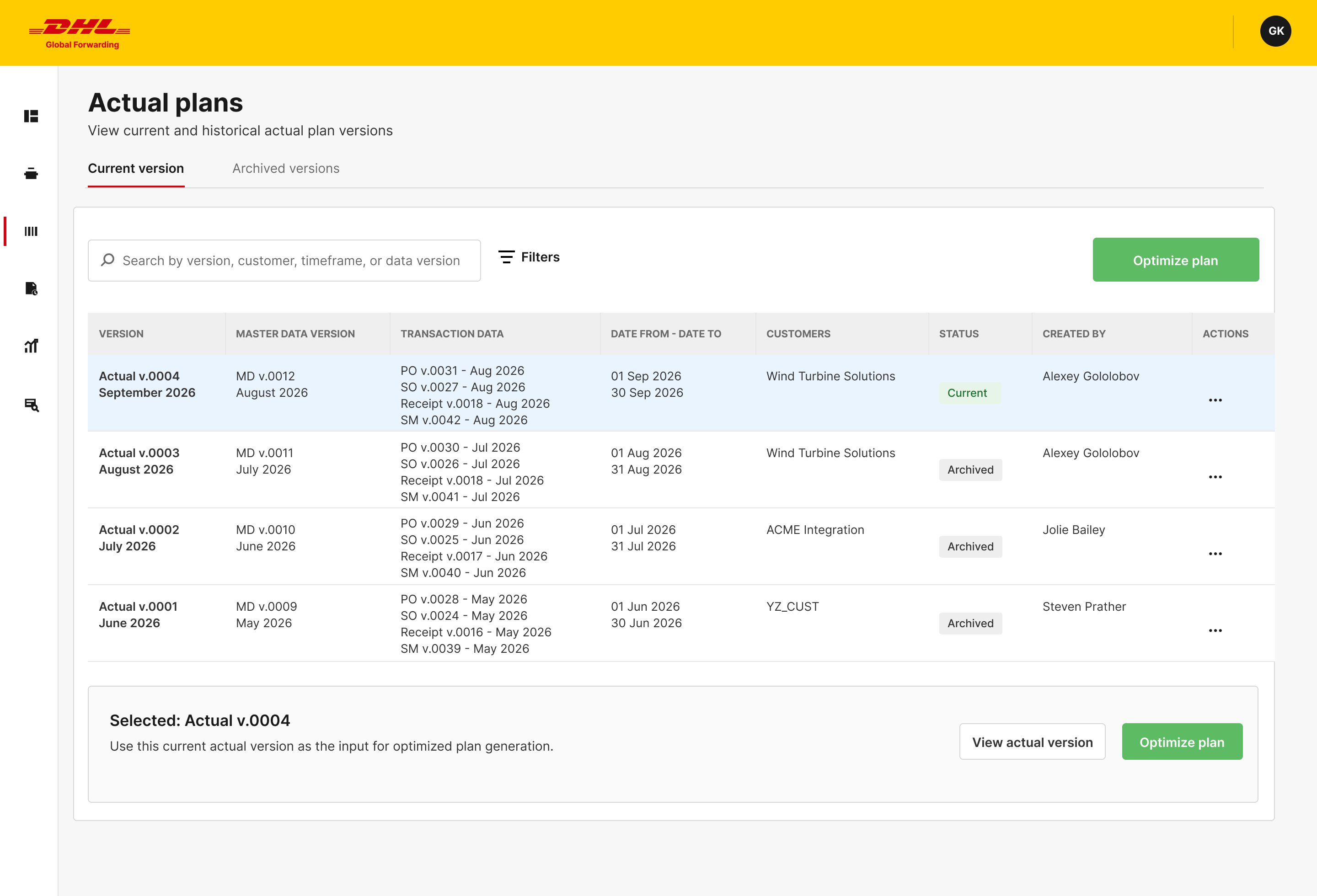
The starting point is a list of actual plans. The current version is separated from archived ones, and each row shows its master data version, transaction data versions, timeframe, customers and status, so planners always know which data a plan is based on.
Actual plans — current and archived versions with their data lineage.
Setting Up Optimization
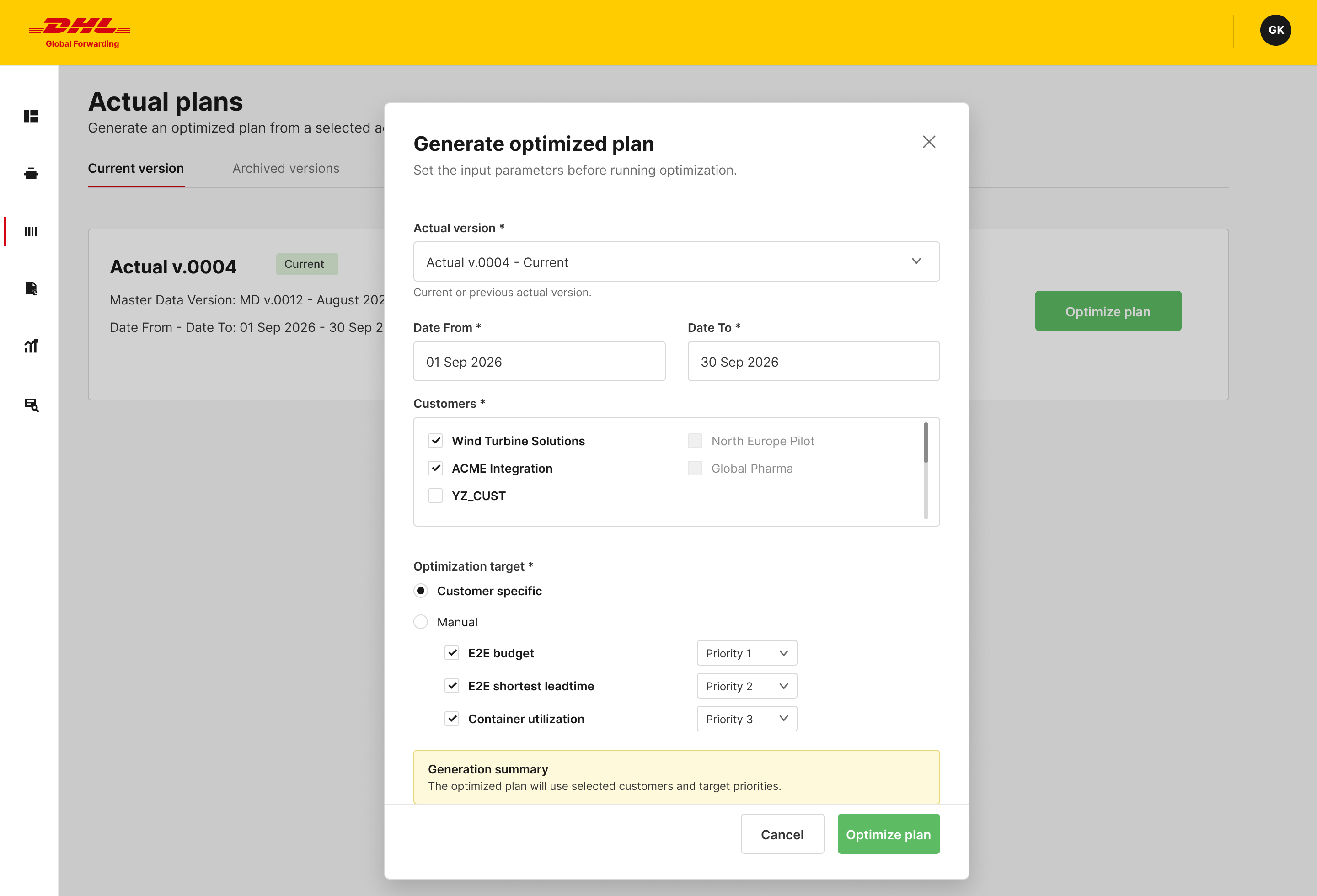
Optimization starts from a selected actual version. A focused modal collects the required inputs: timeframe, customers and the optimization target. Targets can follow customer-specific rules or be prioritised manually, for example E2E budget first, then shortest leadtime, then container utilization.
Optimization settings — actual version, timeframe, customers and prioritised targets.
Reviewing the Optimization Plan
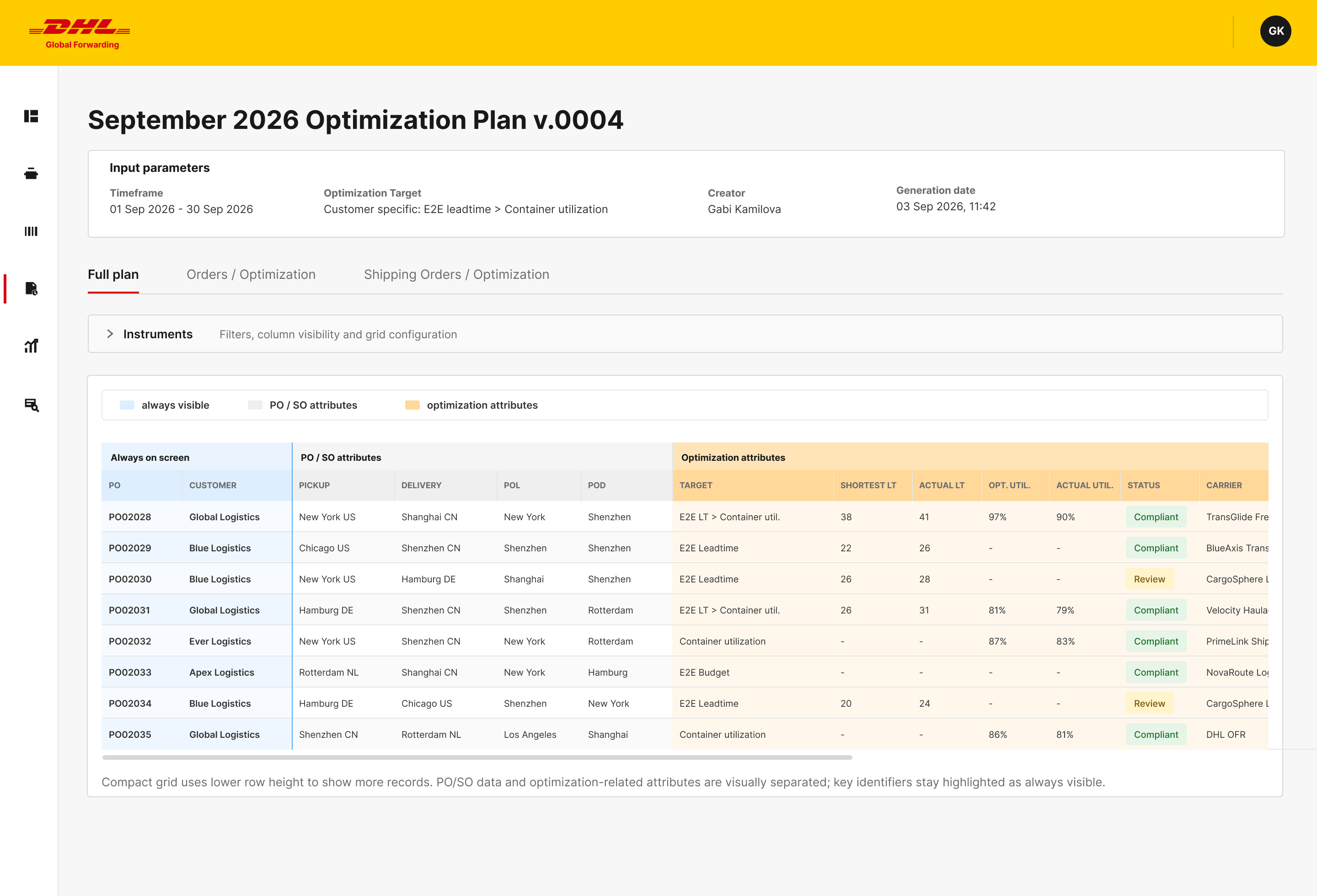
The generated plan opens with its input parameters at the top. Orders and shipping orders have separate views. PO and SO attributes stay on screen, and optimization attributes sit next to them: shortest vs actual leadtime, optimized vs actual container utilization, compliance status and carrier.
Optimization plan — input parameters and a side-by-side view of actual and optimized values.
Order and Shipment Details
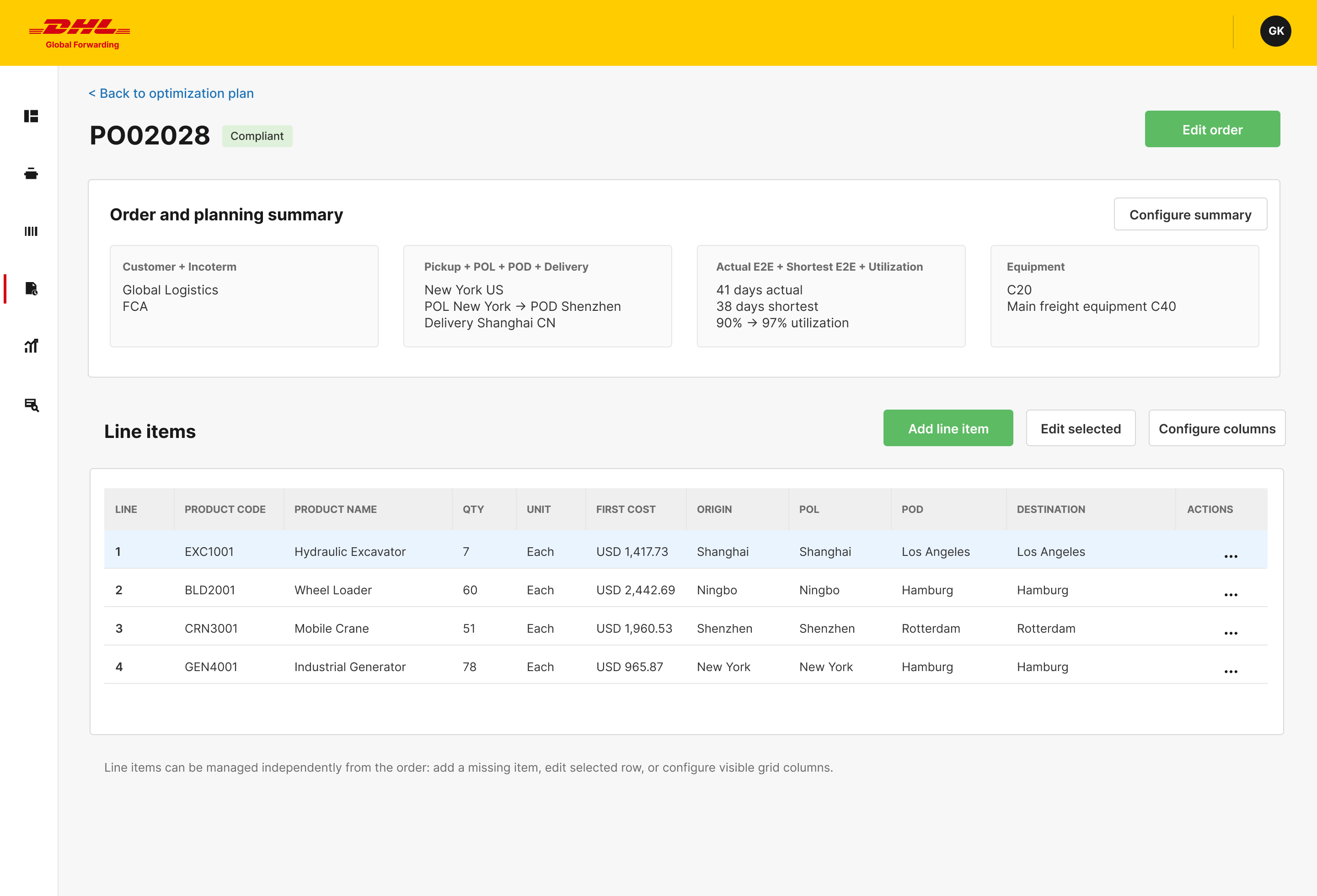
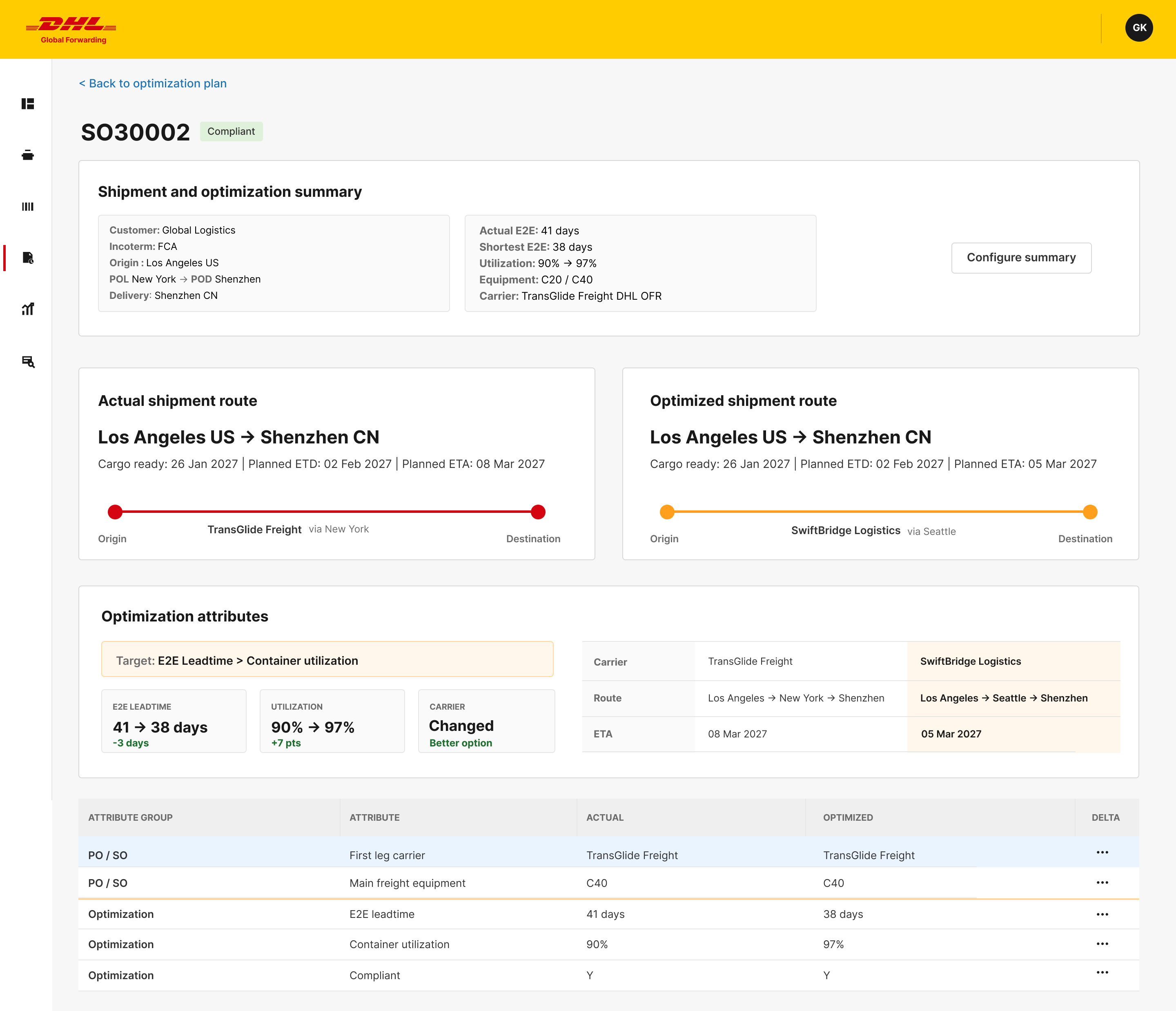
Any row can be opened for details. The order view summarises customer, route, leadtime and utilization, and lists its line items. The shipment view compares the actual and optimized routes side by side, with key dates and a table of attribute deltas.
Order details — planning summary and line items.Shipment details — actual vs optimized route, key dates and attribute deltas.
Editing Orders and Rerunning
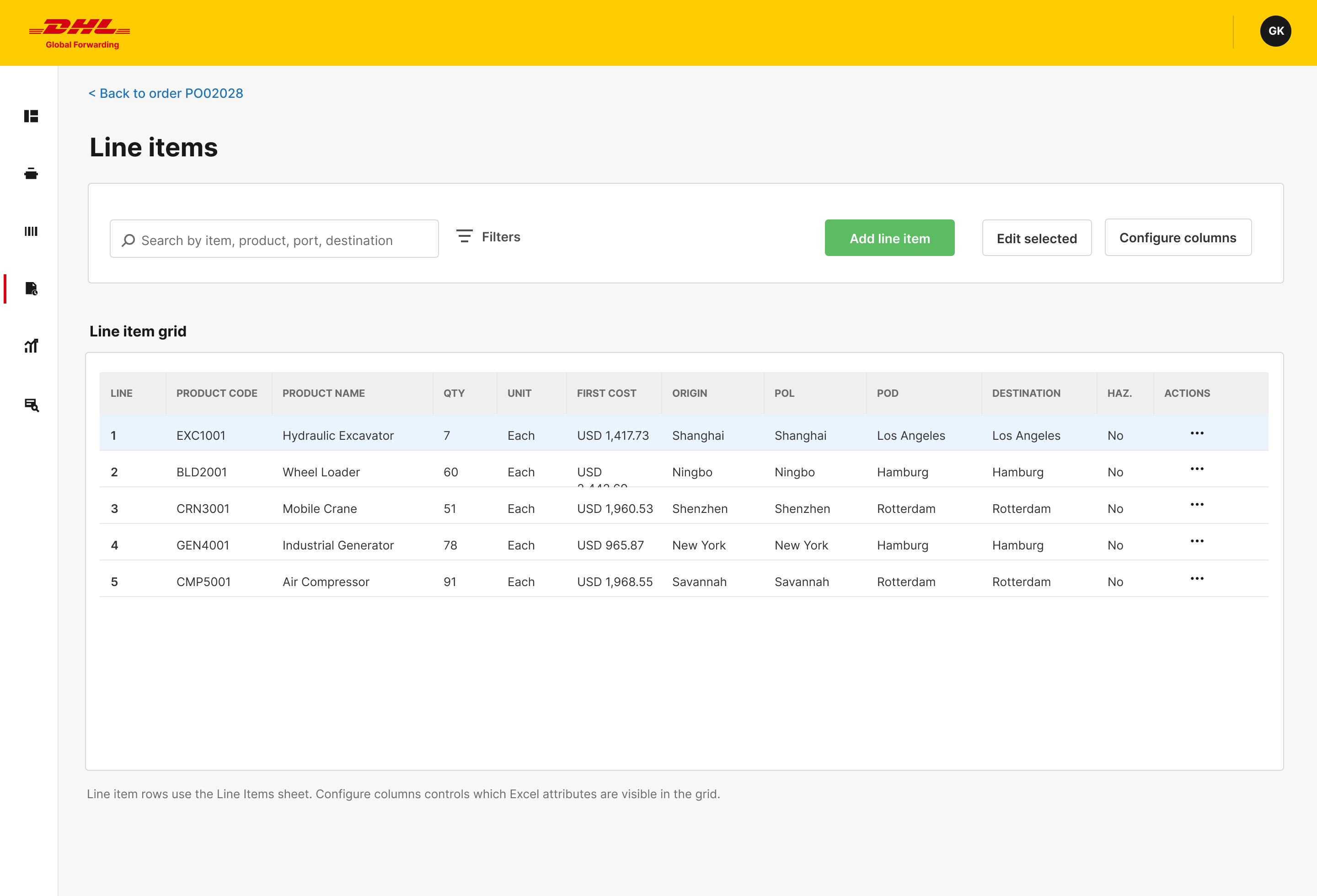
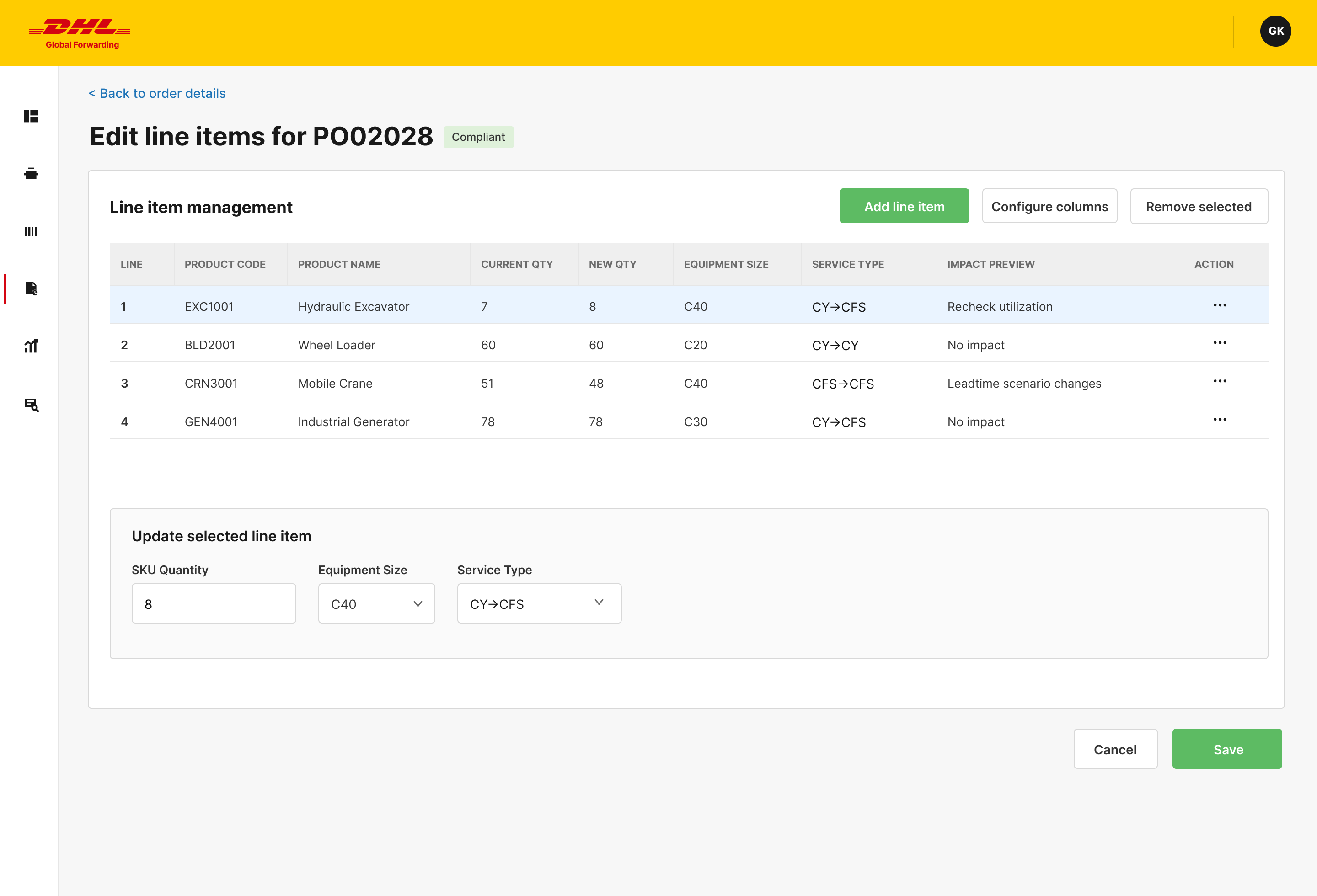
Planners can add line items or change quantities, equipment size and service type. An impact preview flags which changes affect utilization or leadtime before the optimization is run again.
Line items — searchable grid with configurable columns.Edit line items — new quantities with an impact preview before saving.
Design Outcome
The concept covered the full planning loop, from plan versions and optimization setup to the generated plan, drill-down details and order editing.
It gave the presale team a clear, clickable story for the client and a solid base for the next step: confirming the exact data mapping and optimization parameters with the business.
 Back